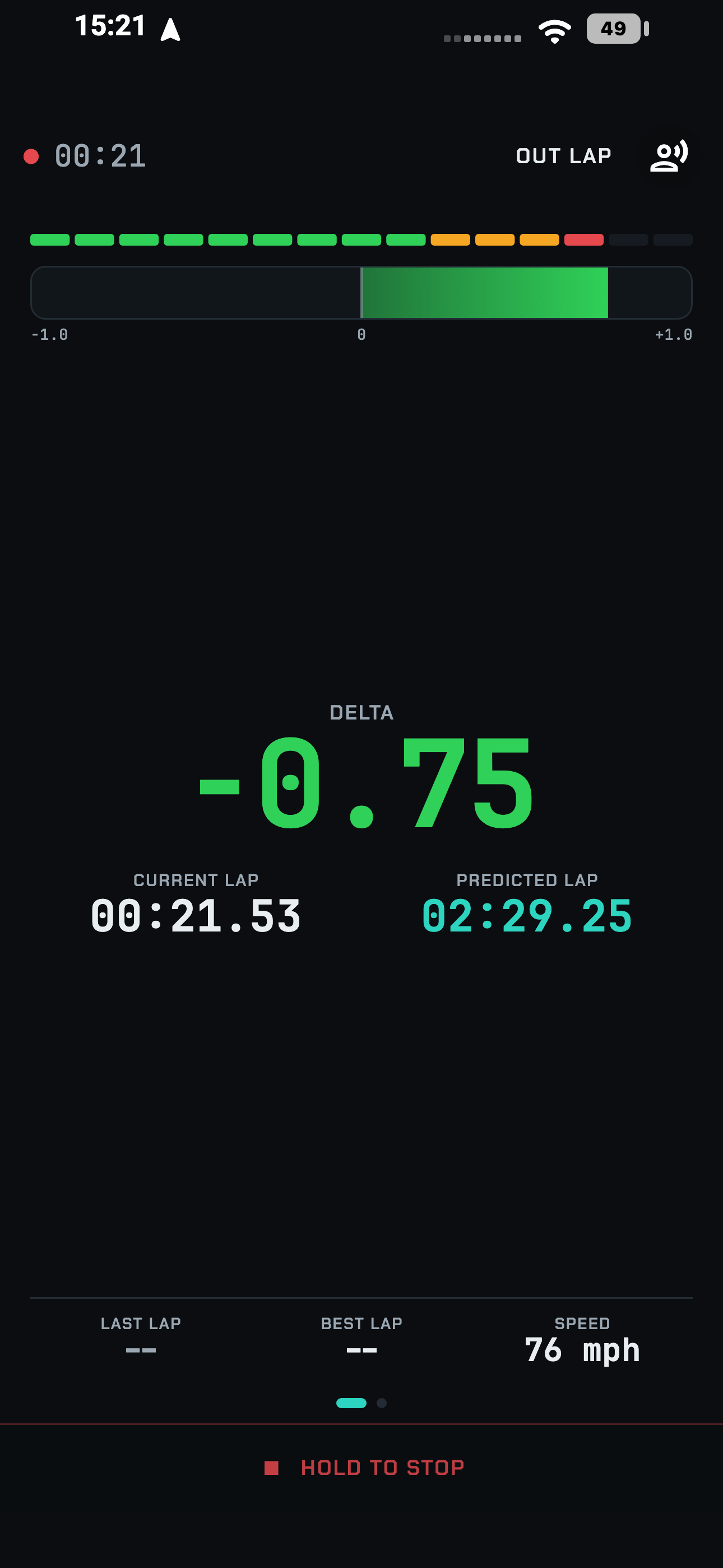
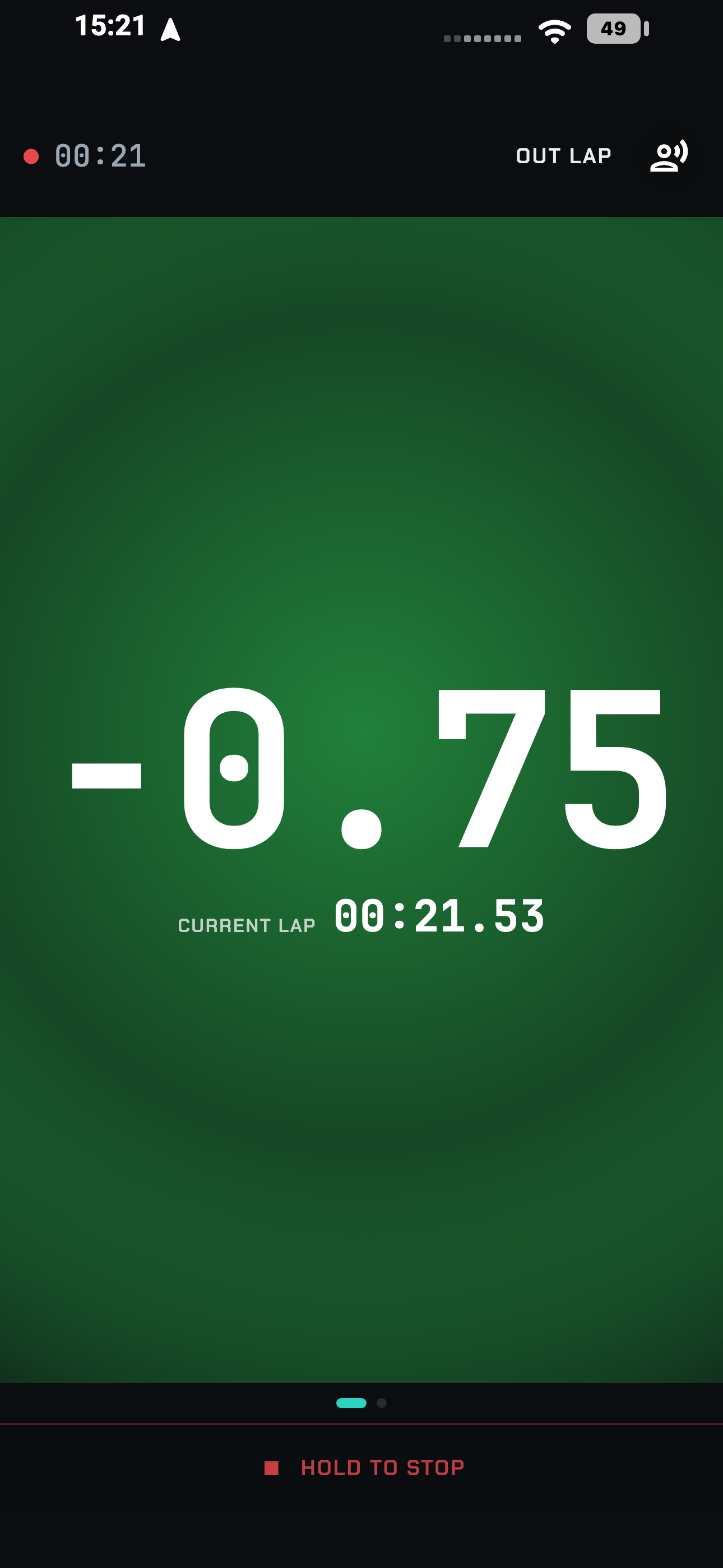
Live telemetry & predictive timing
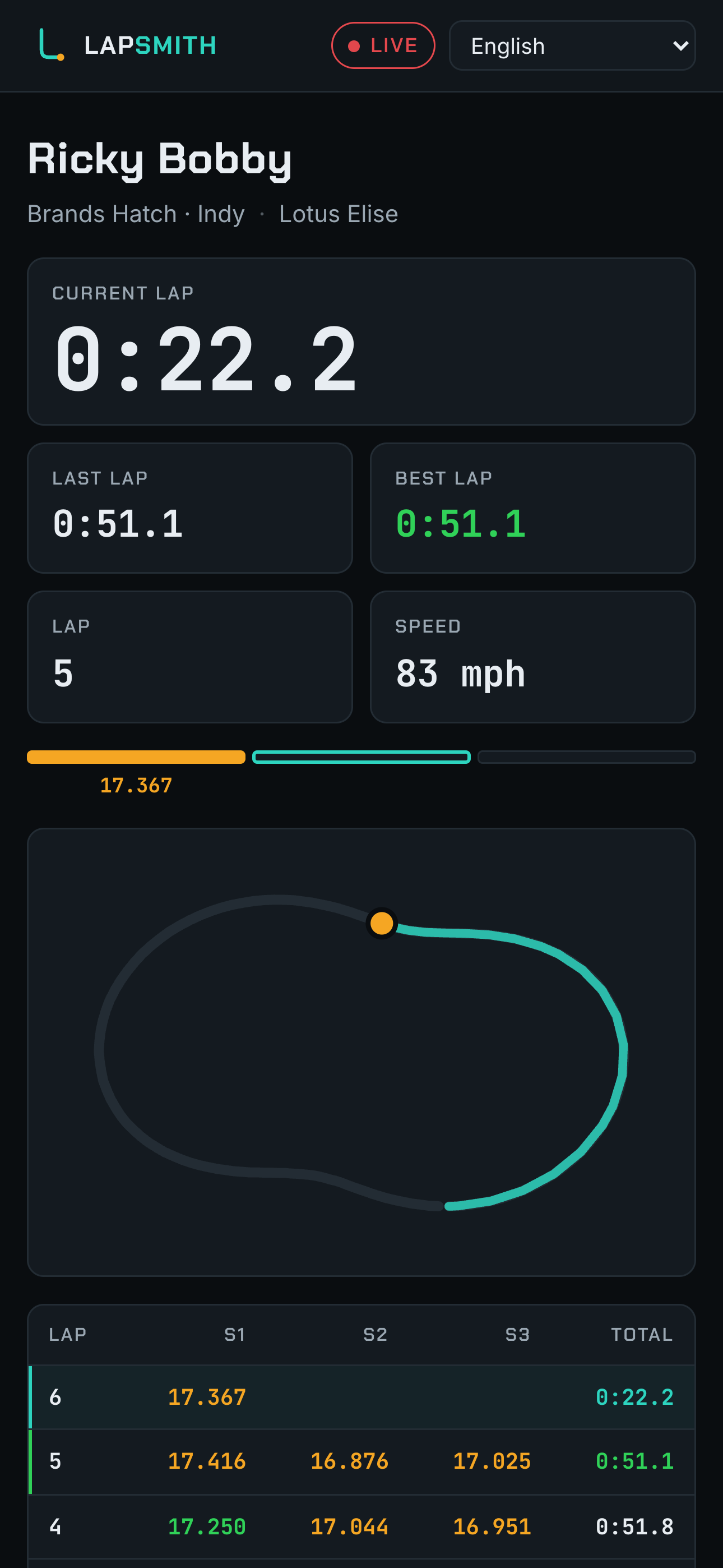
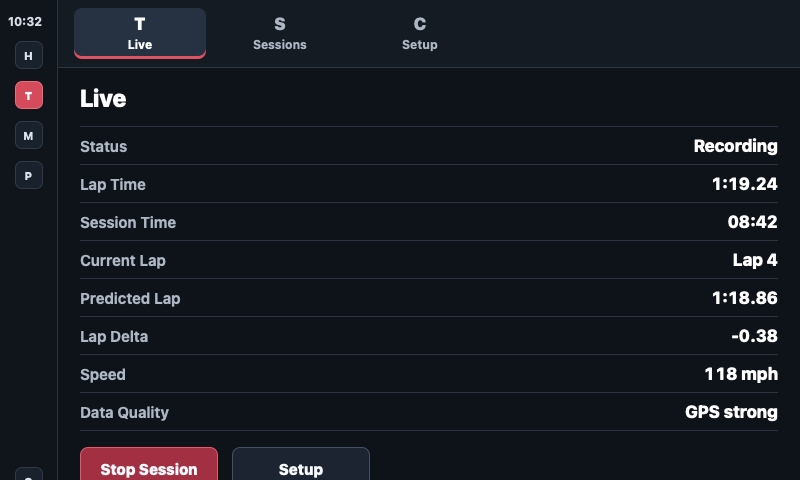
Lap time, delta to your best, predicted lap and speed - live on your phone, big enough to read at 120 mph.
Track-day telemetry, forged simple
LapSmith turns your phone into a race engineer. Live timing on track, corner-by-corner audio coaching against your own best lap, and broadcast-style video overlays - synced automatically from GPS, engine and camera data.
Free forever for early testers. Start now and LapSmith stays free on your account for life - even after launch.
The phone apps are in testing: iOS through TestFlight, Android through Google Play closed testing. The Mac and Windows apps download straight from here.
What's in the toolbox
Lap time, delta to your best, predicted lap and speed - live on your phone, big enough to read at 120 mph.
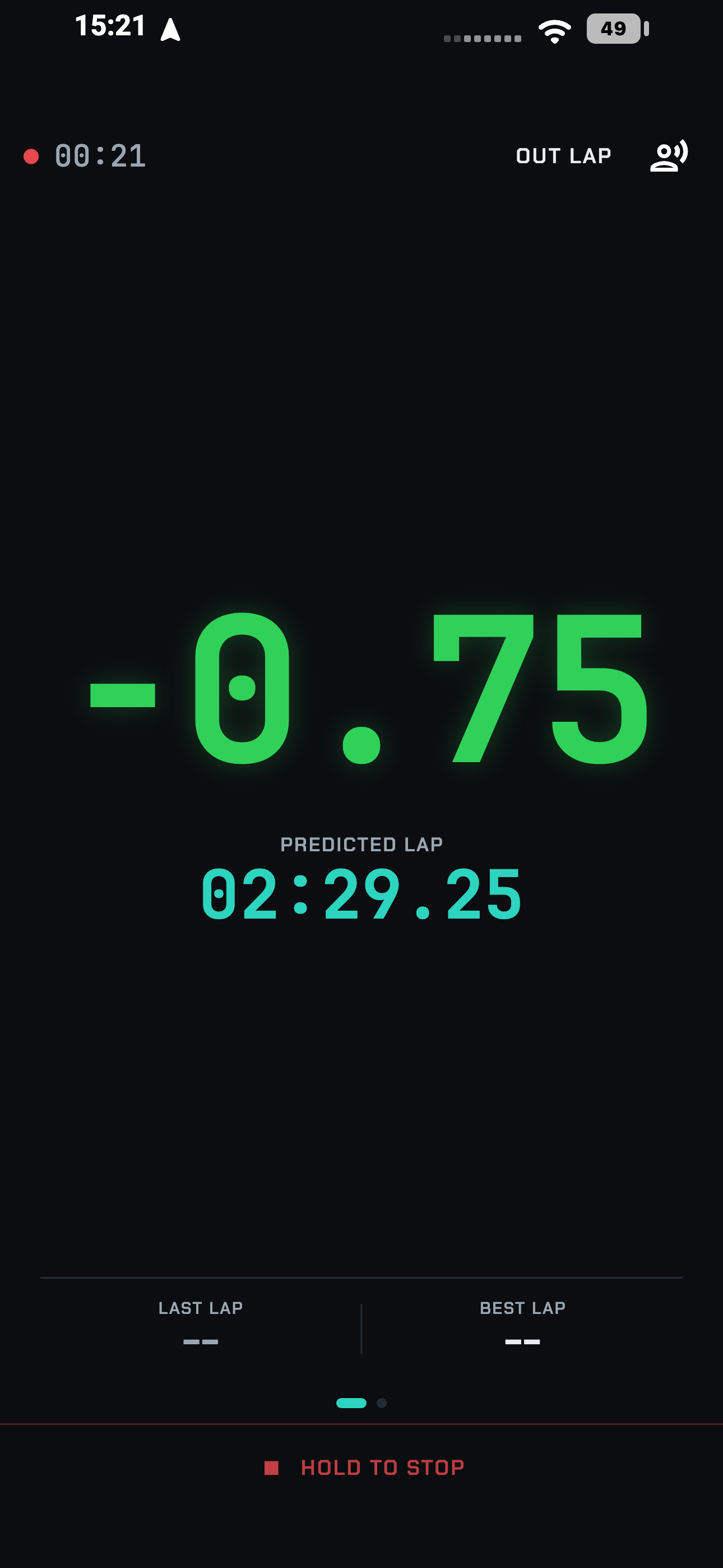
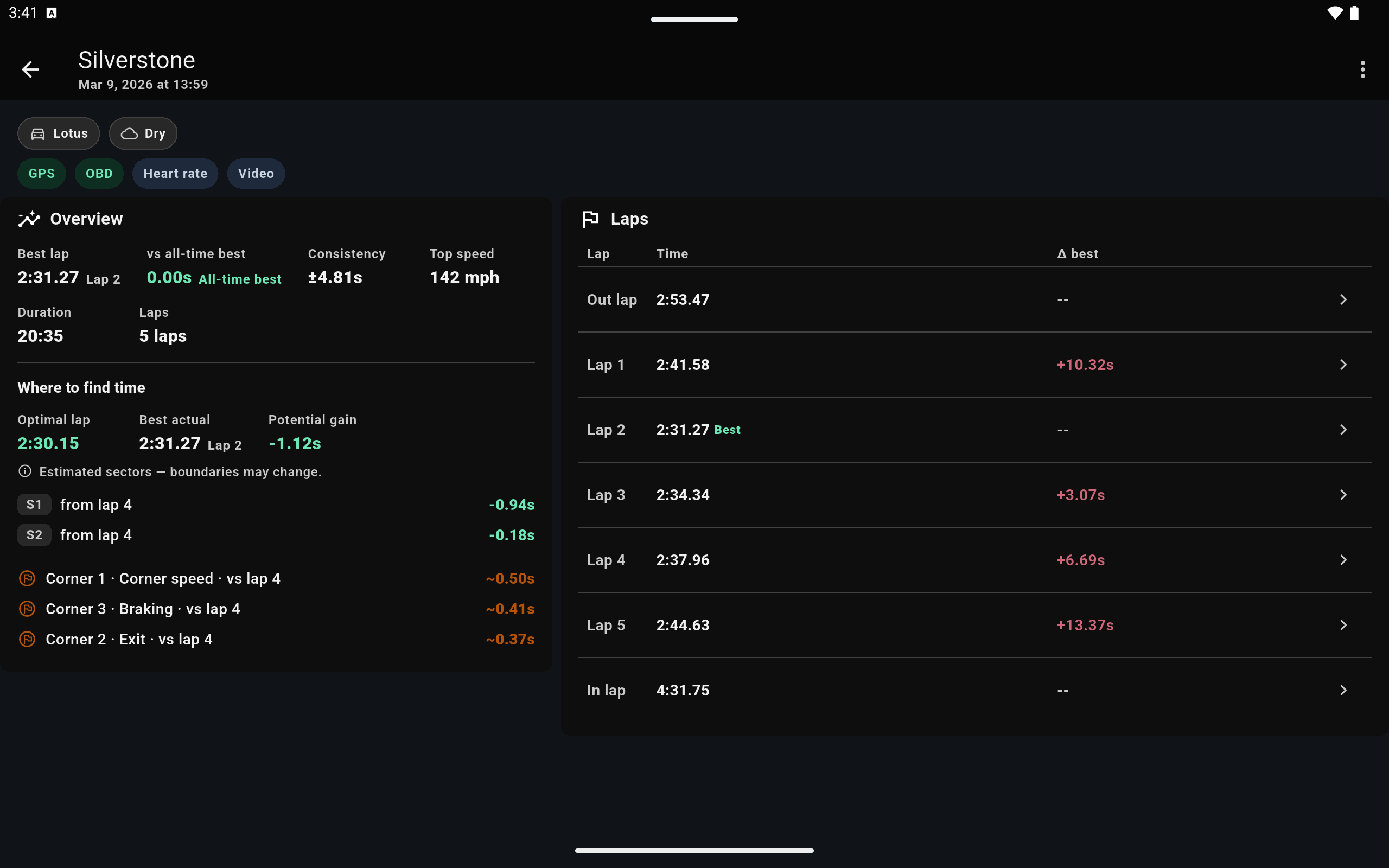
Scrub through every lap, overlay speed and braking traces against your best, and see exactly where the time went.
LapSmith matches your camera footage - imported over Wi-Fi or USB - to GPS and engine data automatically, then exports broadcast-style overlay videos ready to share.
Control up to two action cameras at once - GoPro, DJI Osmo and Insta360, in any mix - and add your phone's front and rear cameras for up to four angles on every lap.
After each session, LapSmith reviews your laps, surfaces the biggest gains, and gives you specific things to work on next time out.
RaceBox and Dragy GPS, OBD engine data, GoPro, DJI and Insta360 cameras, and heart-rate sensors connect side by side - with clear status for every device before you roll out.
Start a session with Siri or the iPhone Action Button - Google Assistant on Android - then LapSmith arms itself and starts recording the moment you're up to speed.
Lap time, delta and session status on your car's own screen - phone mounted or pocketed, eyes where they belong.
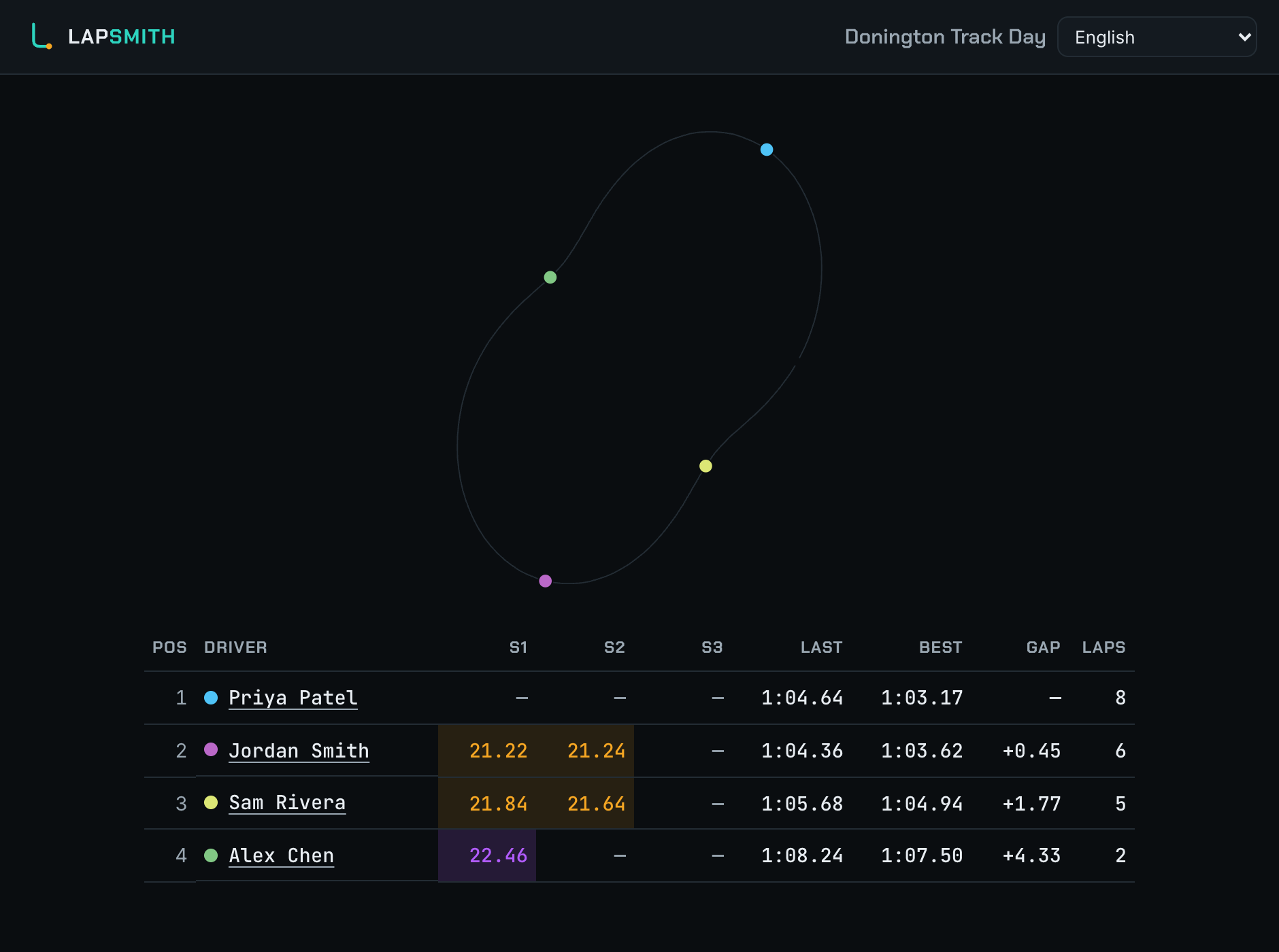
See how your mates' day is going next to your own - every friend who has been out, ranked by best lap and split by circuit, with sector times side by side when more than one of you is on track.
Set live sharing once and every session you record goes to your LapSmith friends - they get a notification when you roll out, and follow your laps in the app or from a link. One group link covers everyone you came with.
Coming from another app? Import your existing laps from RaceChrono, TrackAddict, Harry's LapTimer, VBOX, AiM and GPX files, and analyze them right alongside your LapSmith sessions.
Race procedure
Pair your RaceBox, OBD adapter and GoPro once. LapSmith remembers your rig and checks it's ready before every session.
Start hands-free with Siri or the Action Button - or just drive. Laps detect automatically at the start-finish line, recording arms itself and rolls up to speed, with live timing on screen and coaching in your ears.
Compare laps corner by corner, find the time, and export overlay videos that look like they came off a race broadcast. Anyone who watched you live can still open the link for five days.
In the pit lane
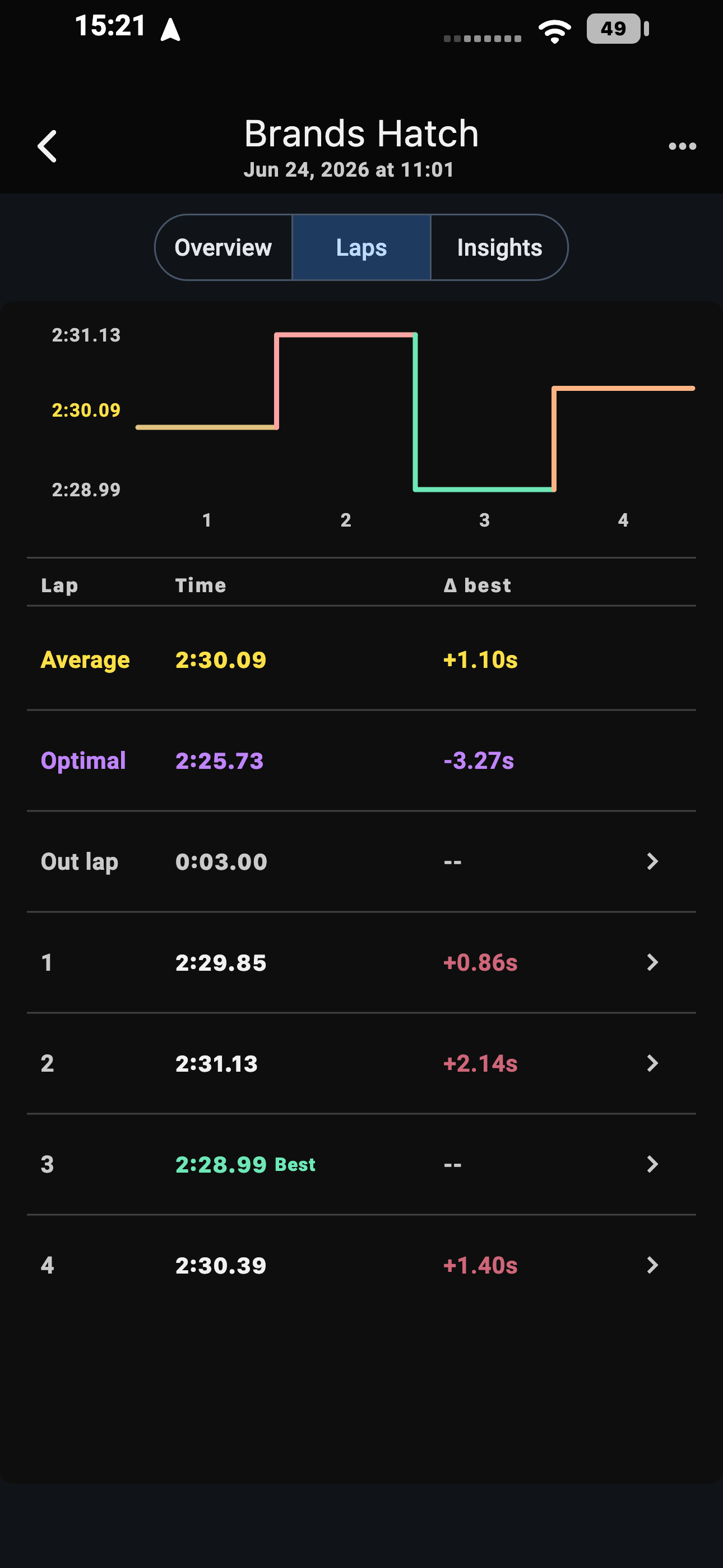
Real screens, straight from the app.
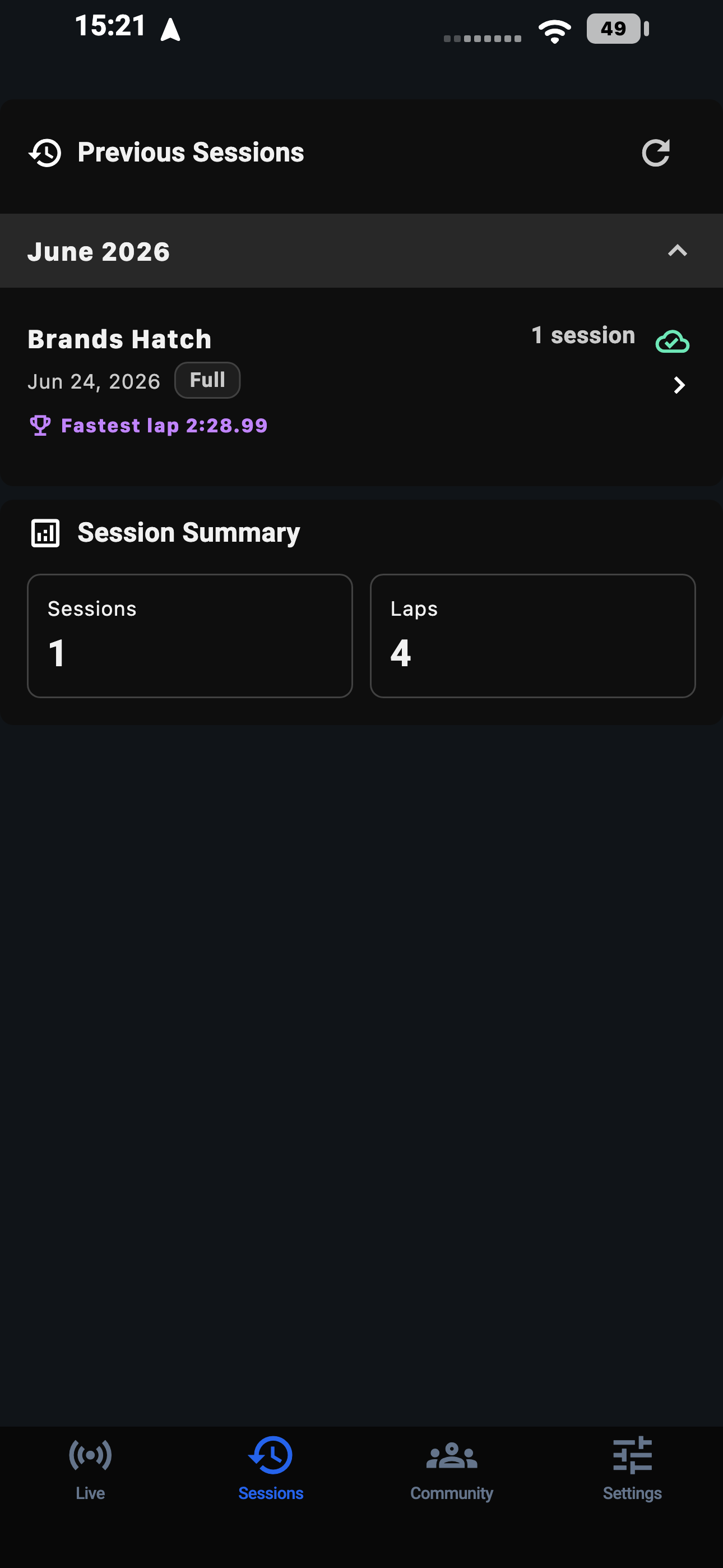
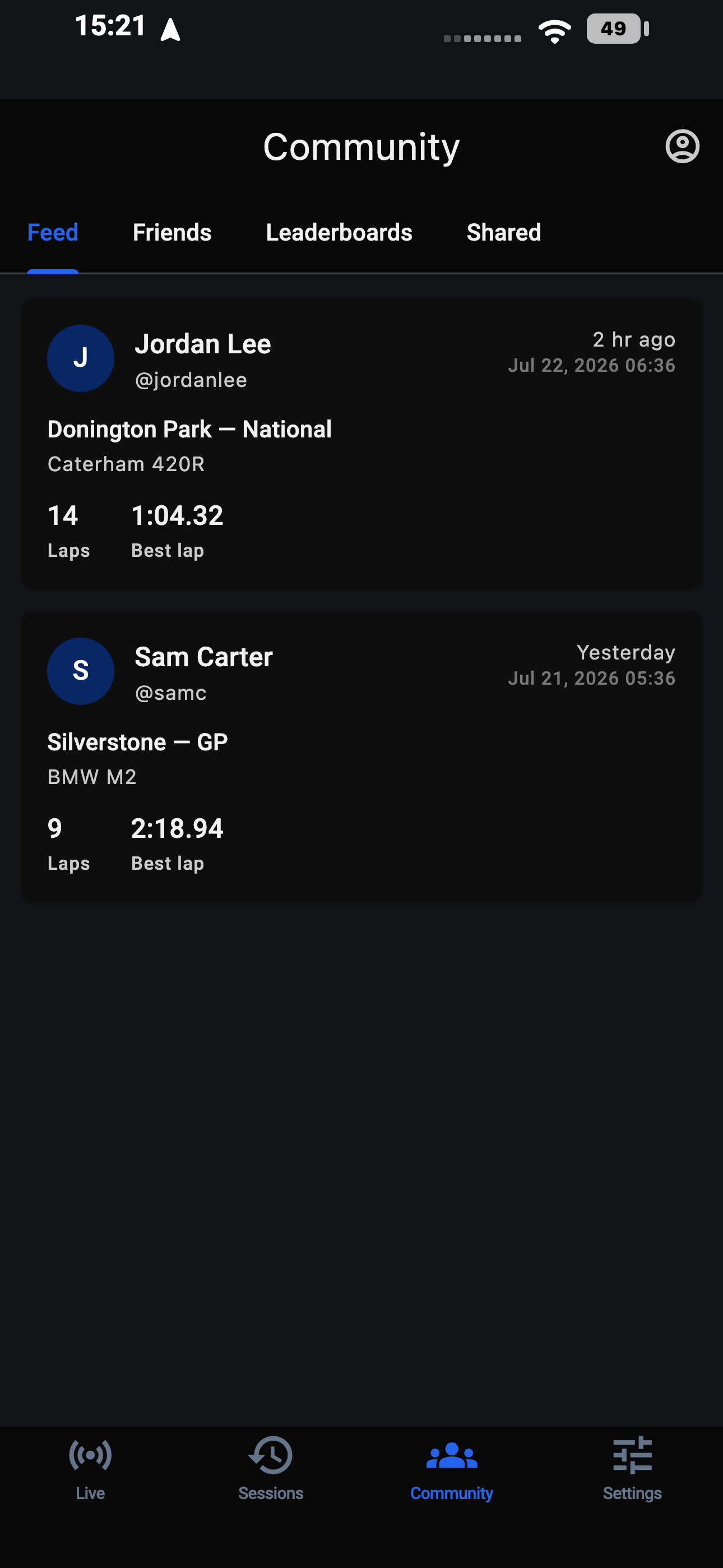
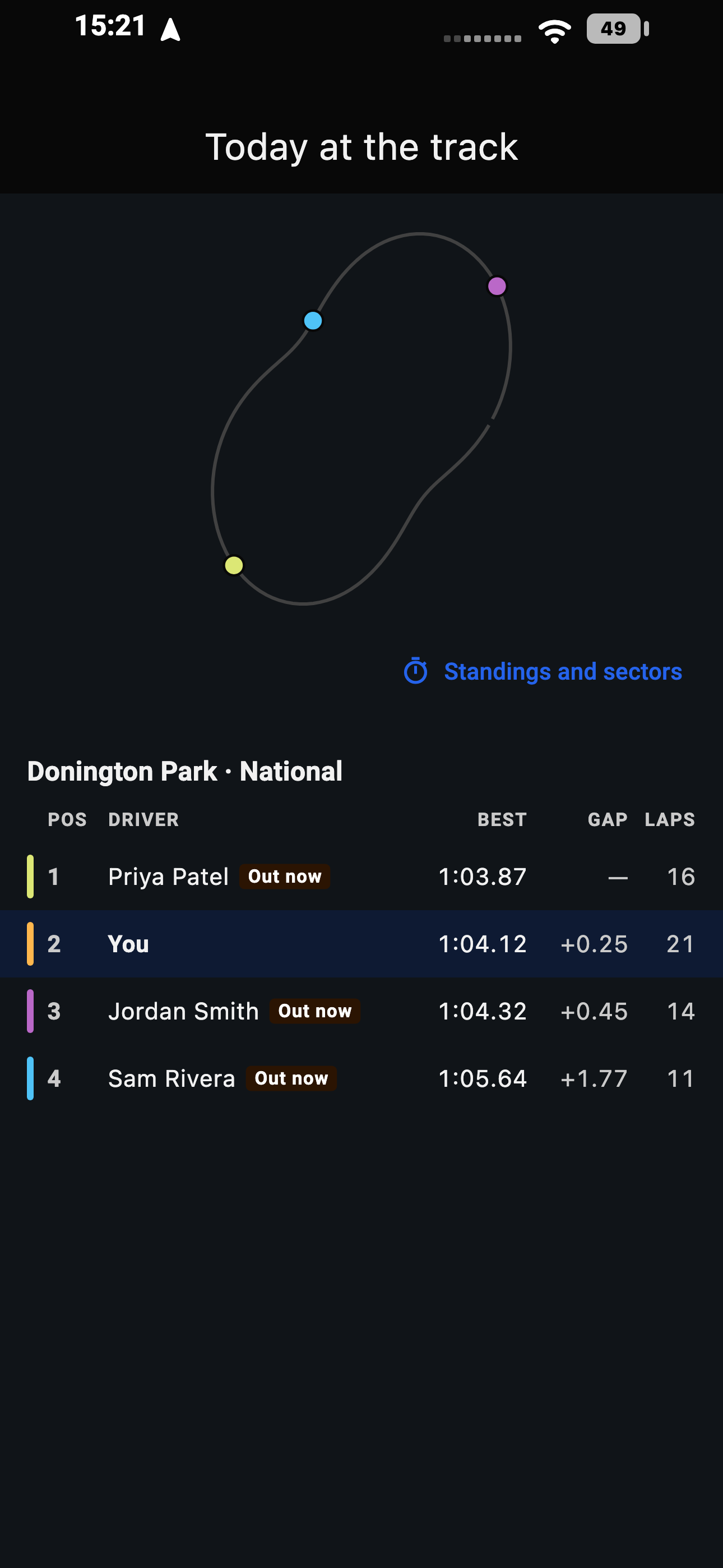
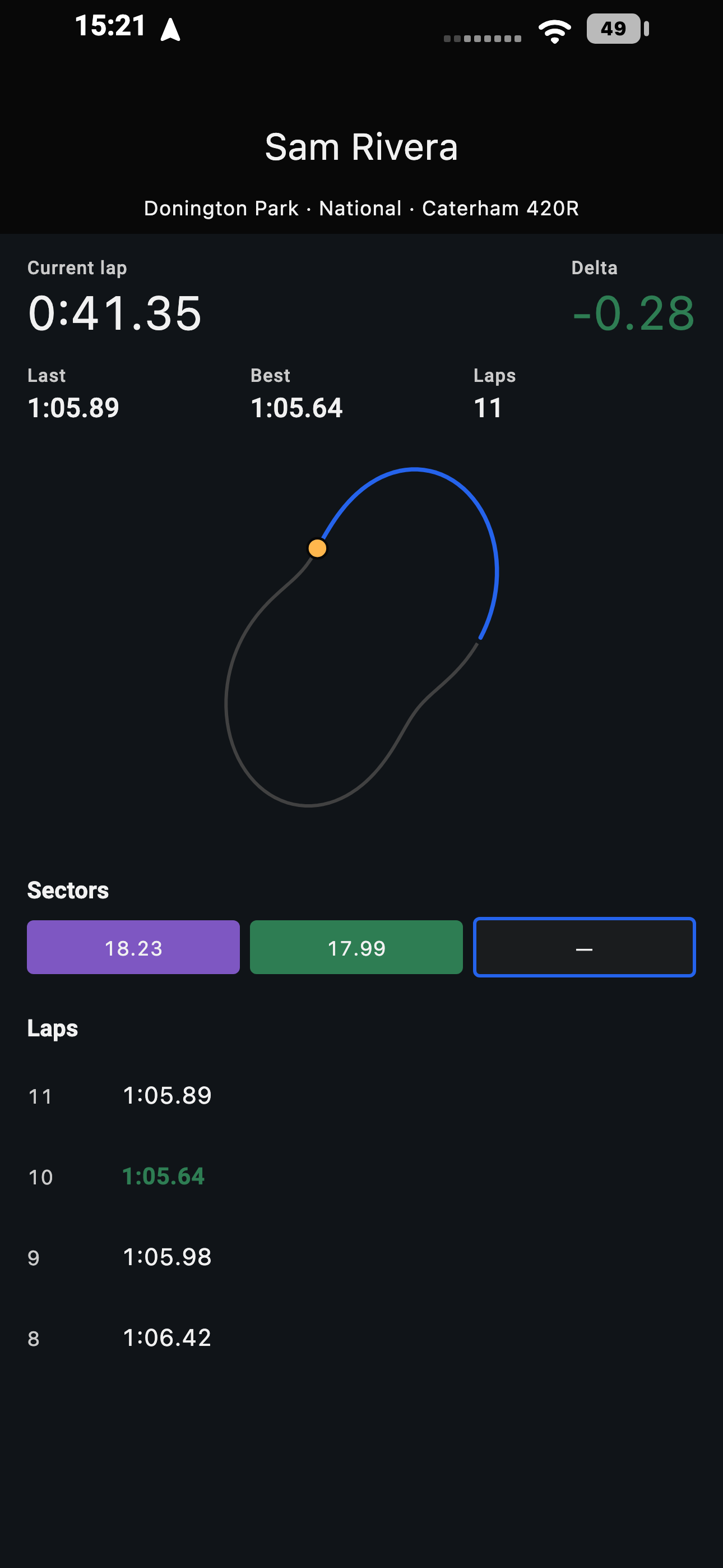
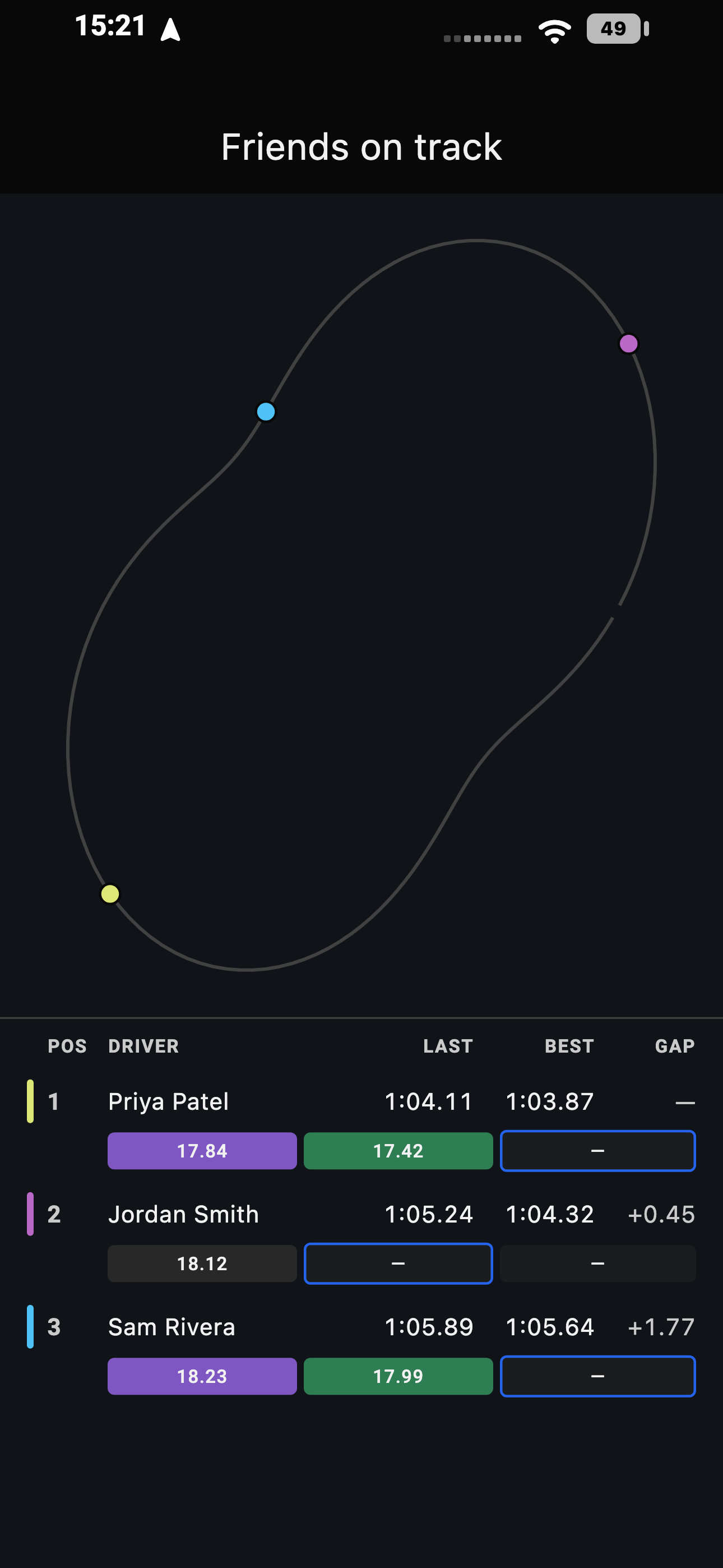
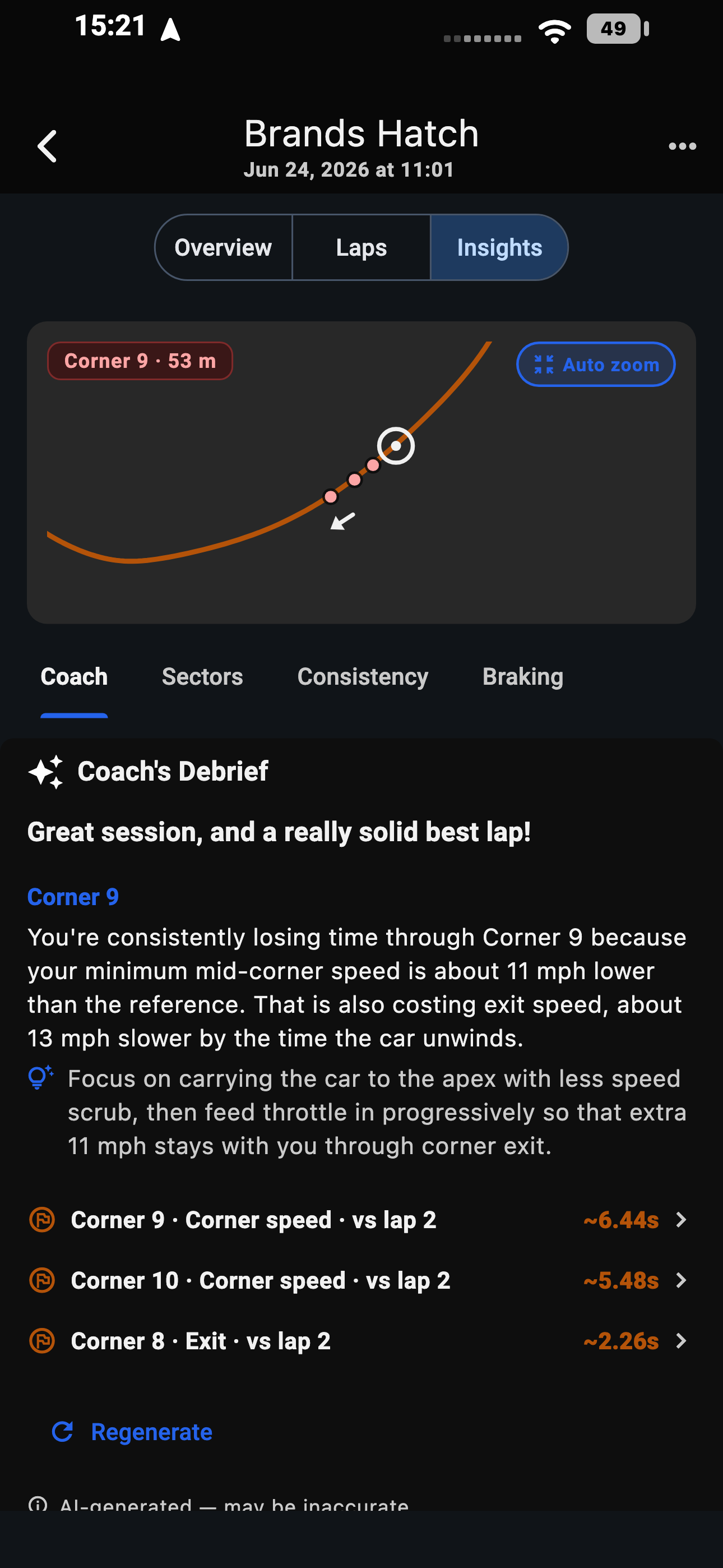
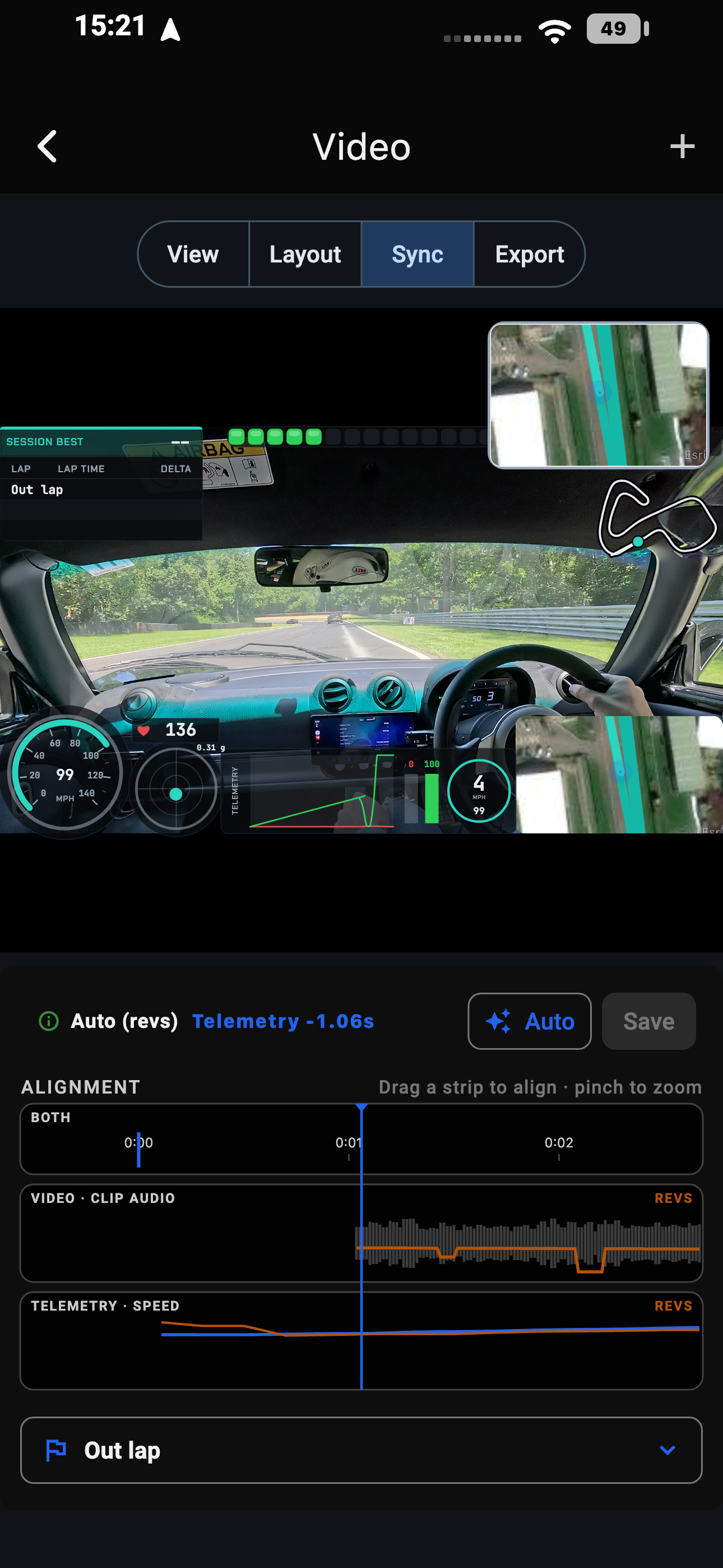
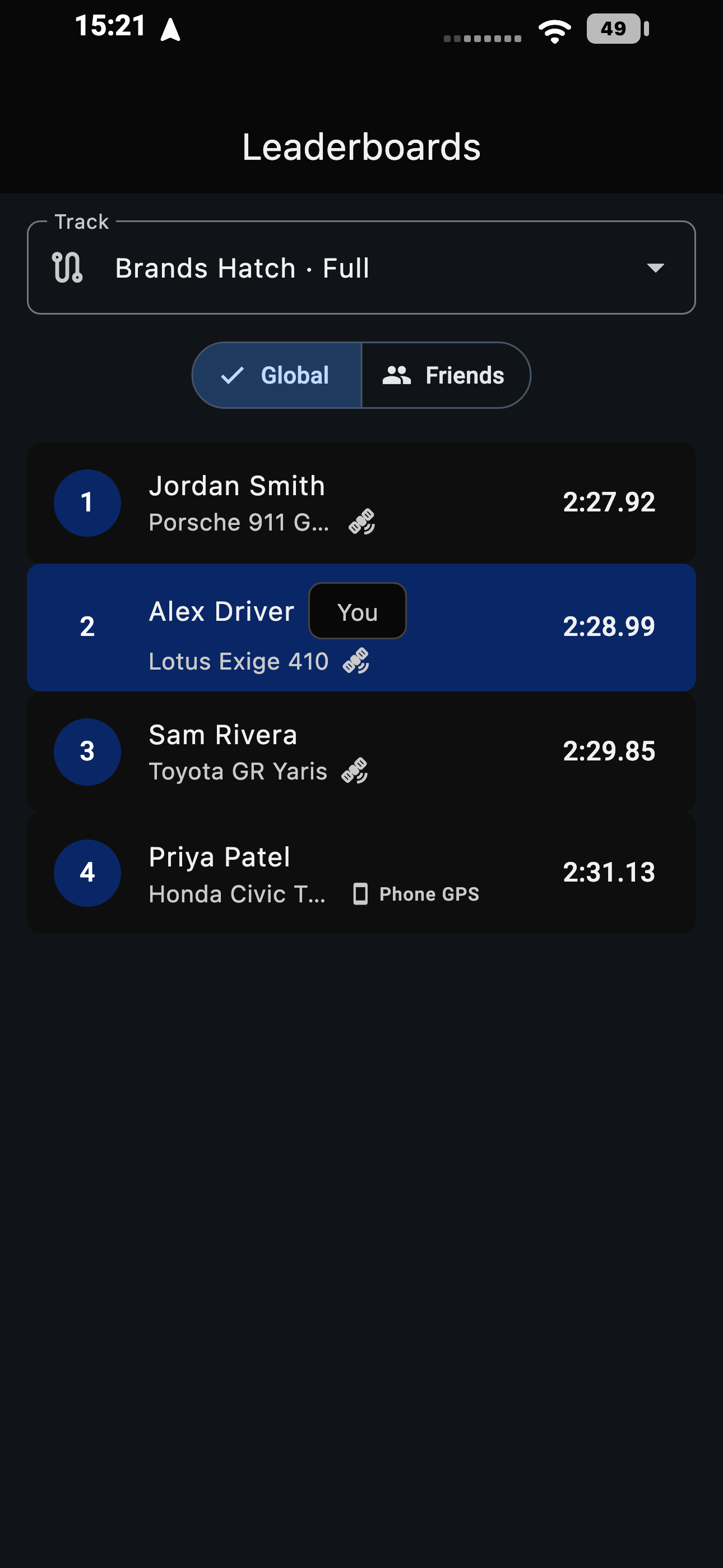
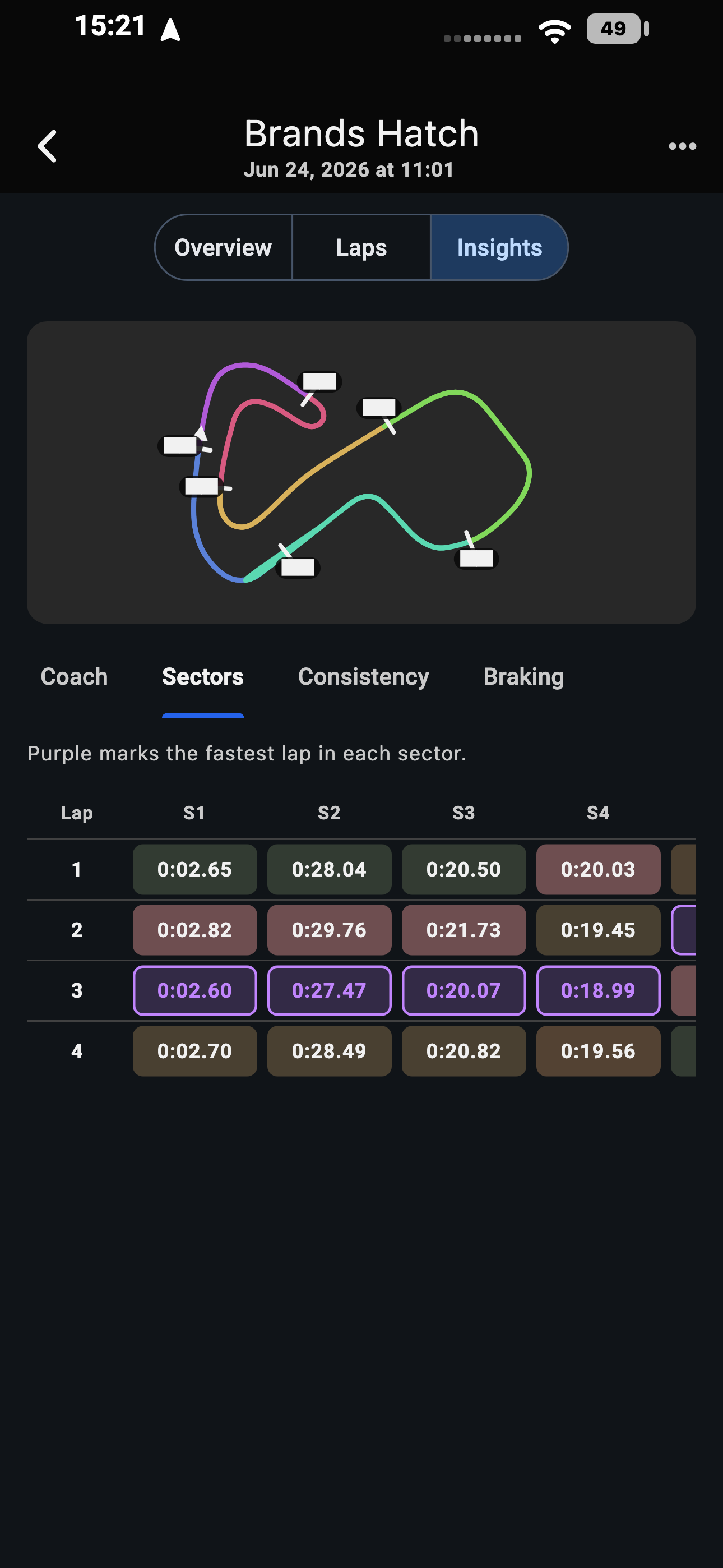
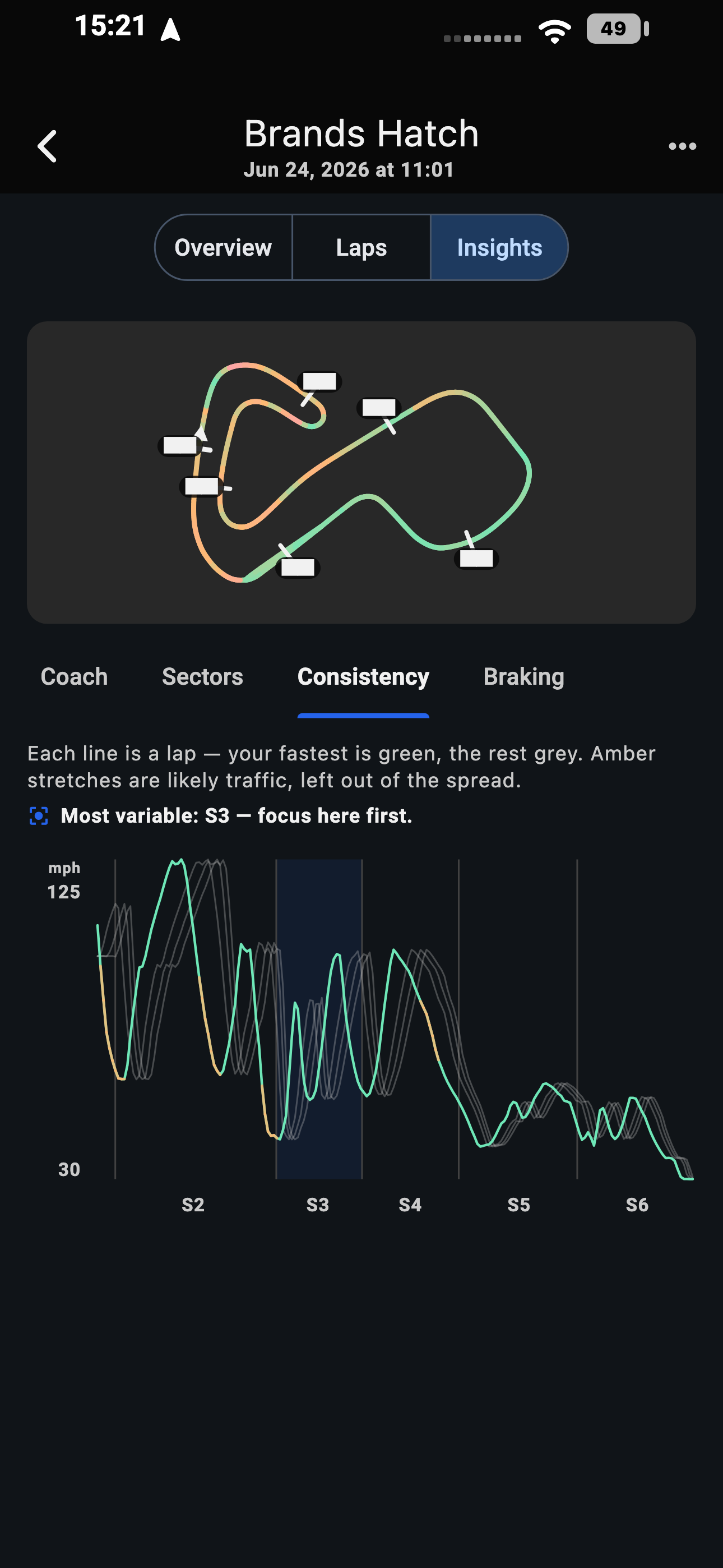
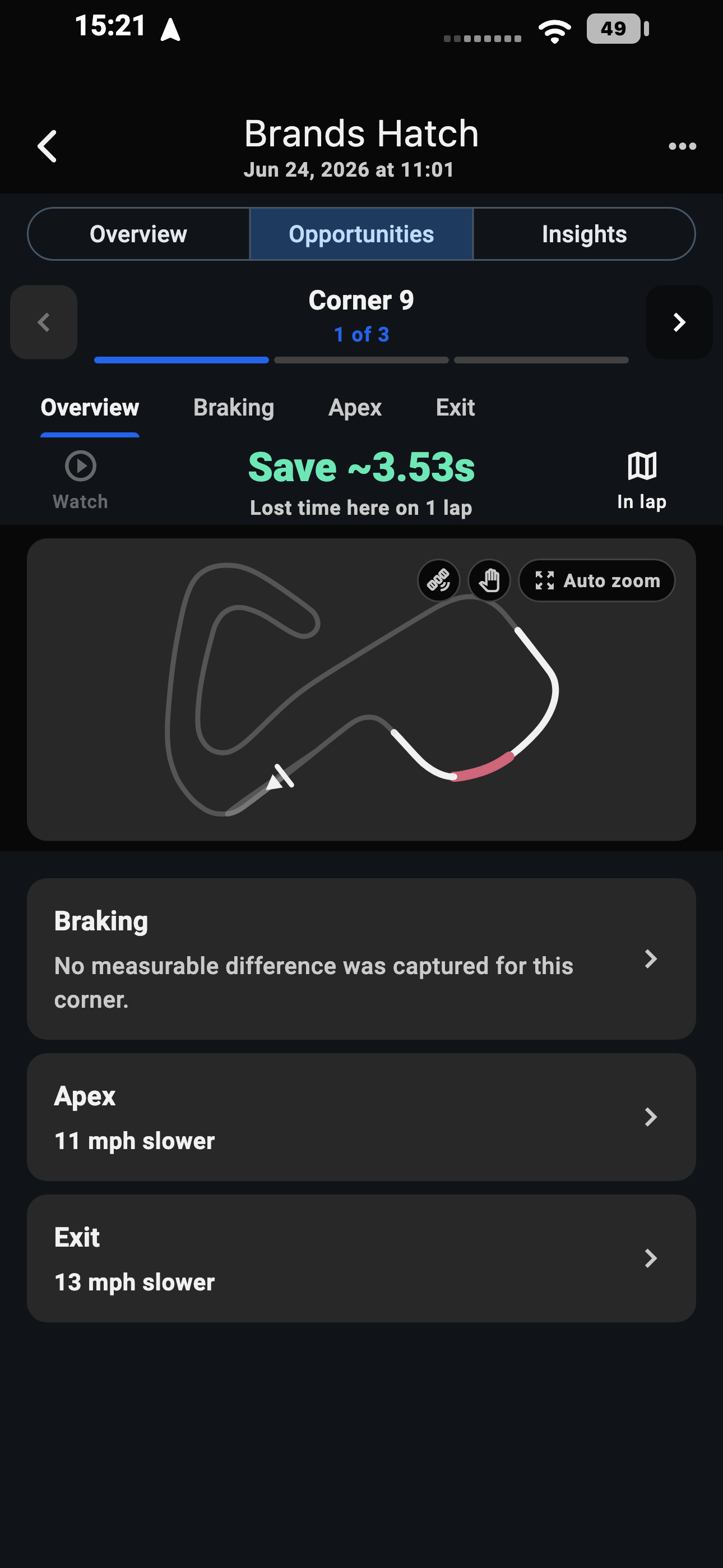
Where the time went
After the session LapSmith measures every corner against your own best lap and ranks them by what is still on the table - then shows whether you lost it in the braking, the apex or the exit. Not a trace to interpret. A corner, a number and a phase.
While you're out there
Turn it on once and every session you record goes to your LapSmith friends. They get a notification the moment you roll out, and your position, lap times, sectors and delta appear live - inside the app, or on a link that opens in any browser.
Real pages, simulated data - not anyone's actual session.
On the dash
With CarPlay, LapSmith puts lap time, predicted lap, delta and data quality on your car's built-in display. No suction mounts, no glancing down - just the numbers that matter, at a glance.
In the garage
LapSmith works with the track-day hardware you already own - or nothing but the phone in your pocket. Pair each device once and LapSmith checks it's ready before you roll out.
LapSmith's own Bluetooth LE protocol for loggers, published under Apache-2.0 - and on the same car, nearly seven times the CAN data rate of the DIY protocol it replaces.
* Protocol headroom. 200 Hz per CAN channel is verified - measured on a Mustang against the same channels over RaceChrono DIY.
Bluetooth devices pair on iOS and Android, and you can mix GoPro, DJI and Insta360 action cameras with your phone's own - up to four cameras in a single session. GoPro footage imports over Wi-Fi or USB while LapSmith stays open; update your camera firmware before first pairing. HERO5-HERO8 and HERO (2018) pair once with the official GoPro Quik app first, and offload over Wi-Fi rather than USB. Insta360 X-series cameras are set up once in the official Insta360 app, pair one at a time, and need Android 9 or newer.
On the big screen
LapSmith is a universal app - it runs natively on iPad and Android tablets, in any orientation. On a bigger screen the session browser, analysis workspace and live dashboard reflow into multi-pane layouts, so your laps, map, traces and insights sit side by side instead of a swipe away.
Free forever for early testers.
Every app is built and running today. Join the beta on your phone - and the Mac and Windows apps download straight away, with no list to join.
Use the Google account email you'll install with.
Testing builds may change quickly; your feedback helps shape the launch.
Questions about the beta, a device you want supported, or a bug from your last track day - send it over.
Prefer email? Write to admin@lapsmith.app